Discover games
Browse upcoming Commander and EDH games around Singapore.
Singapore · Commander
Discover local Commander and EDH games, join welcoming pods, and meet Singapore players who enjoy a similar power level.
Built for Singapore players
MTG Party Finder helps Magic: The Gathering players discover Commander games, find local playgroups and turn open seats into enjoyable game nights. Whether you call the format Commander or EDH, you can see what a pod is looking for before committing.
Create profiles for the decks you bring, choose a suitable deck before the game, and organize a table with friends or players you have not met yet. Clear dates, venues, seats and bracket expectations make the pre-game conversation easier.
Browse upcoming Commander and EDH games around Singapore.
See open seats and connect with a host before game night.
Use deck details and Commander brackets to align expectations.
Organize games with friends and meet new regular players.
The road to game night
Three simple steps stand between you and your next night of Commander.
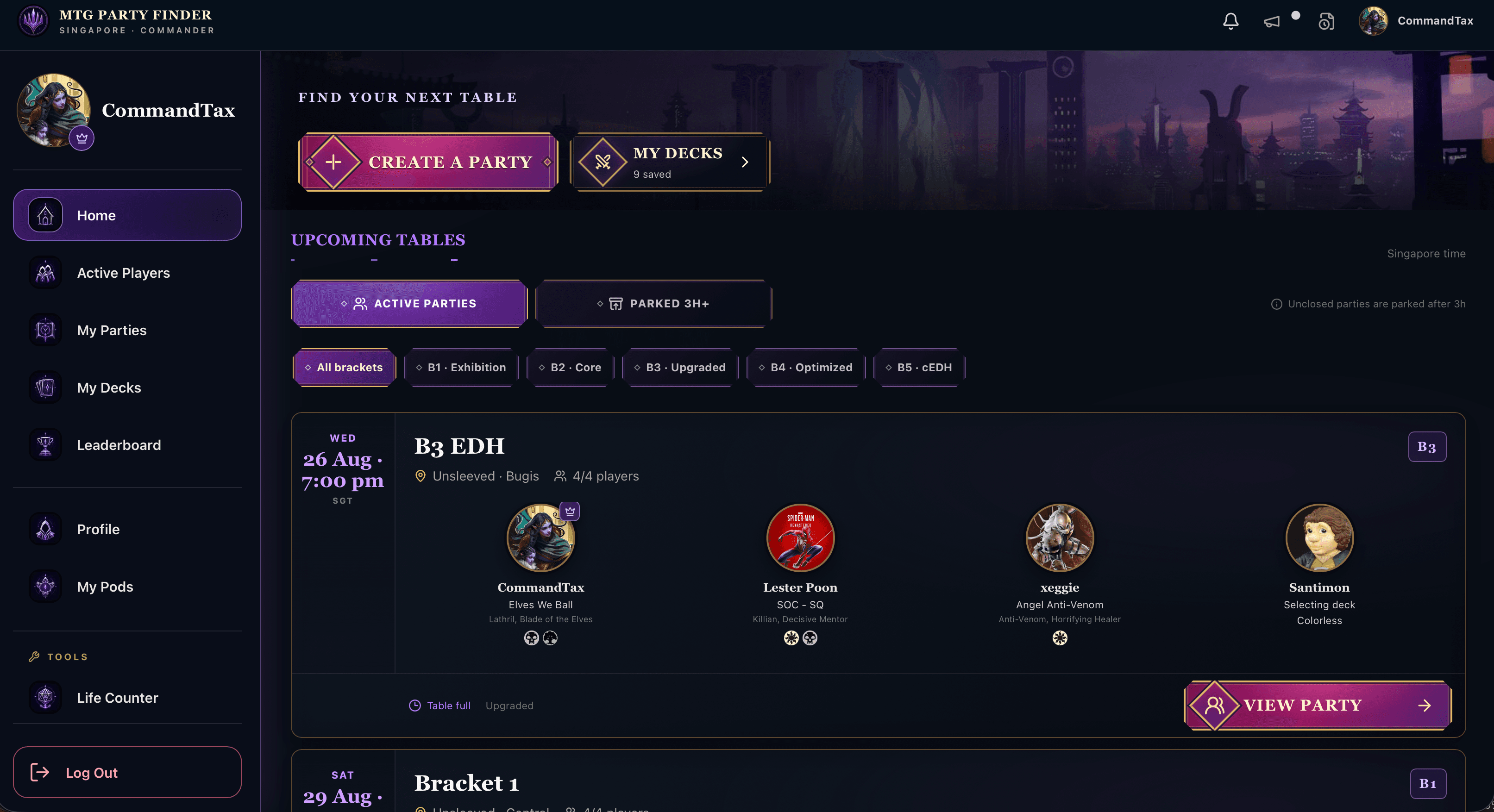
Browse local Commander parties by date, venue, open seats, and bracket.
Show the table what you play and set expectations before anyone shuffles up.
Play, track your history, and become a familiar face in your local community.
Inside the app
Every feature moves you closer to a great table—and keeps the community connected after the last game.
See nearby pods, open seats, locations, dates, and table brackets at a glance.
Build profiles for every deck and bring the right power level to the table.
Commander brackets make it easier to find the kind of game you actually want.
Sort out timing, venue, decks, and the pre-game conversation before you arrive.
Keep the story of your games, decks, and opponents together in one place.
Meet local players, earn trust, and grow from a new face into a local legend.

New · My Pods
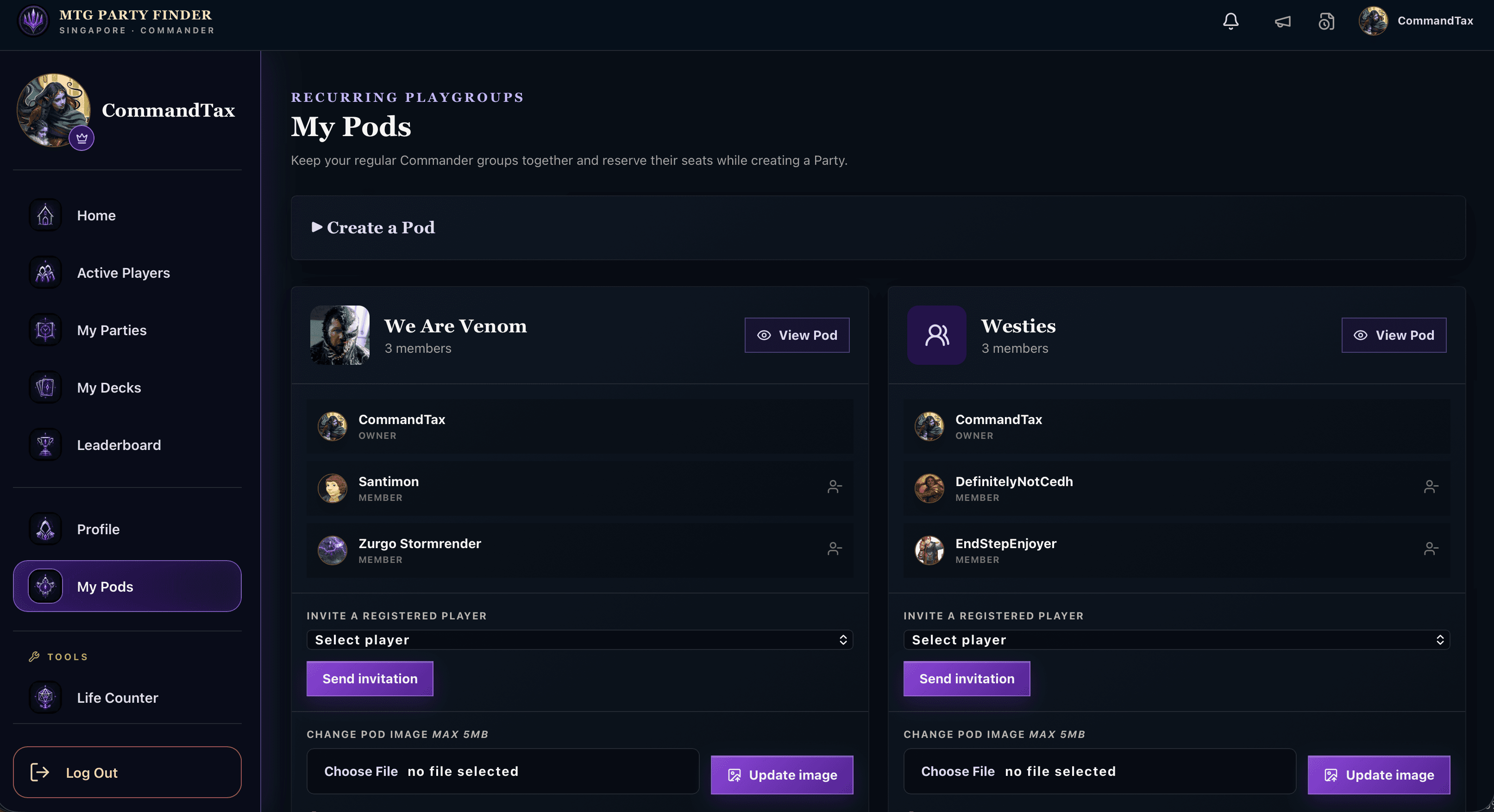
Create persistent pods for the Commander players you meet with most. Invite registered players, manage your members, and give every group a name and image of its own.
When it is time to organize another game, reserve seats for pod members or confirm players who already said yes—without asking everyone to find and join the Party from scratch.
Keep each regular Commander group organized in one familiar place.
Hold space for invited pod members while they confirm attendance.
Invite registered players and bring your pod into a new Party.
Belong to multiple pods and manage each group independently.

New · Leaderboard
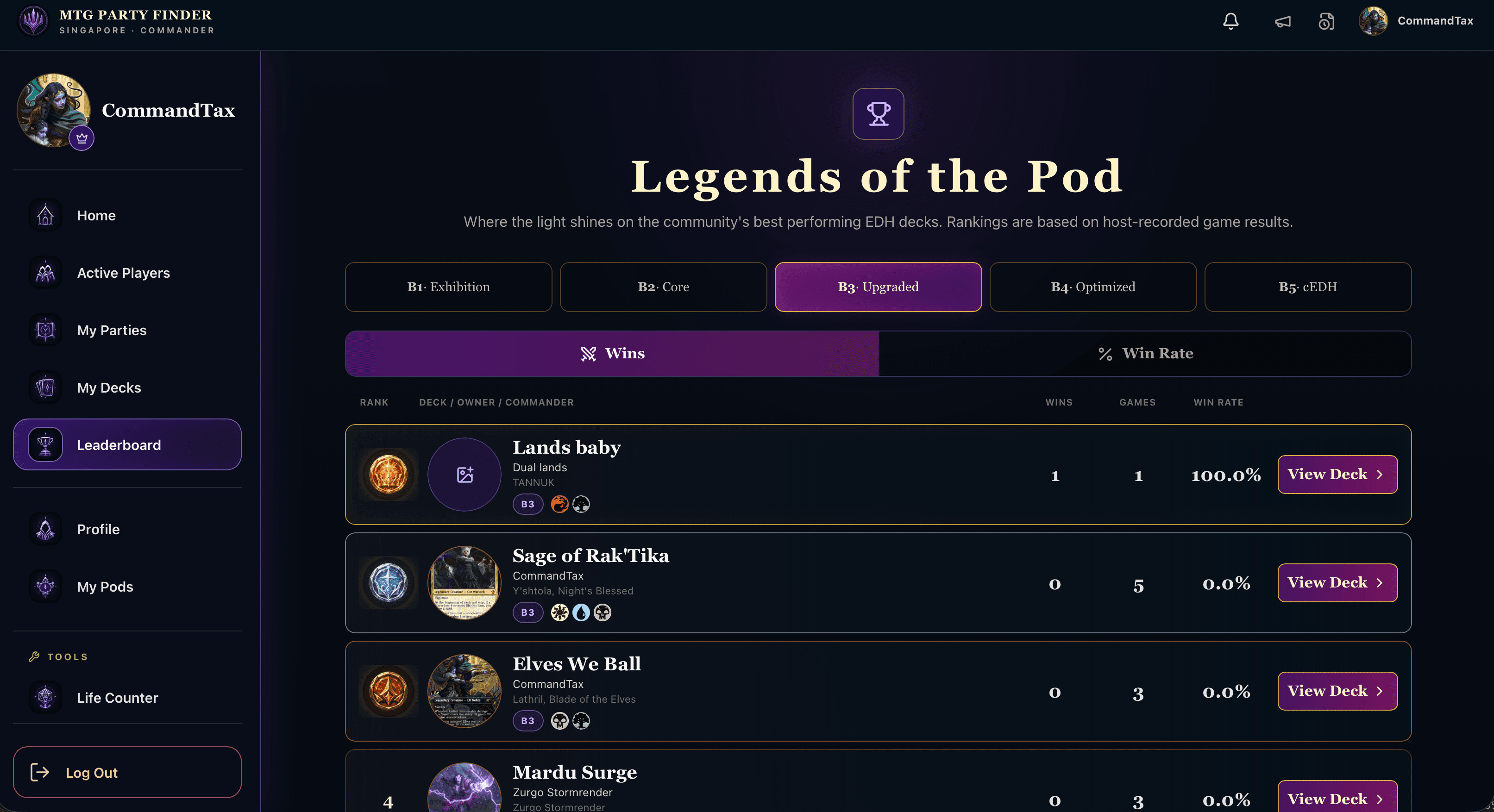
Legends of the Pod celebrates the community’s best-performing EDH decks using host-recorded game results.
Explore every Commander bracket, compare total wins or win rate, and open any ranked deck to discover its commander, colors, owner, and game record.
Compare decks at the power level that matters to your table.
Switch between total wins and win rate at a glance.
Rankings grow from completed games recorded by Party hosts.
Open a leaderboard entry to explore the deck behind the record.

New · Market Board
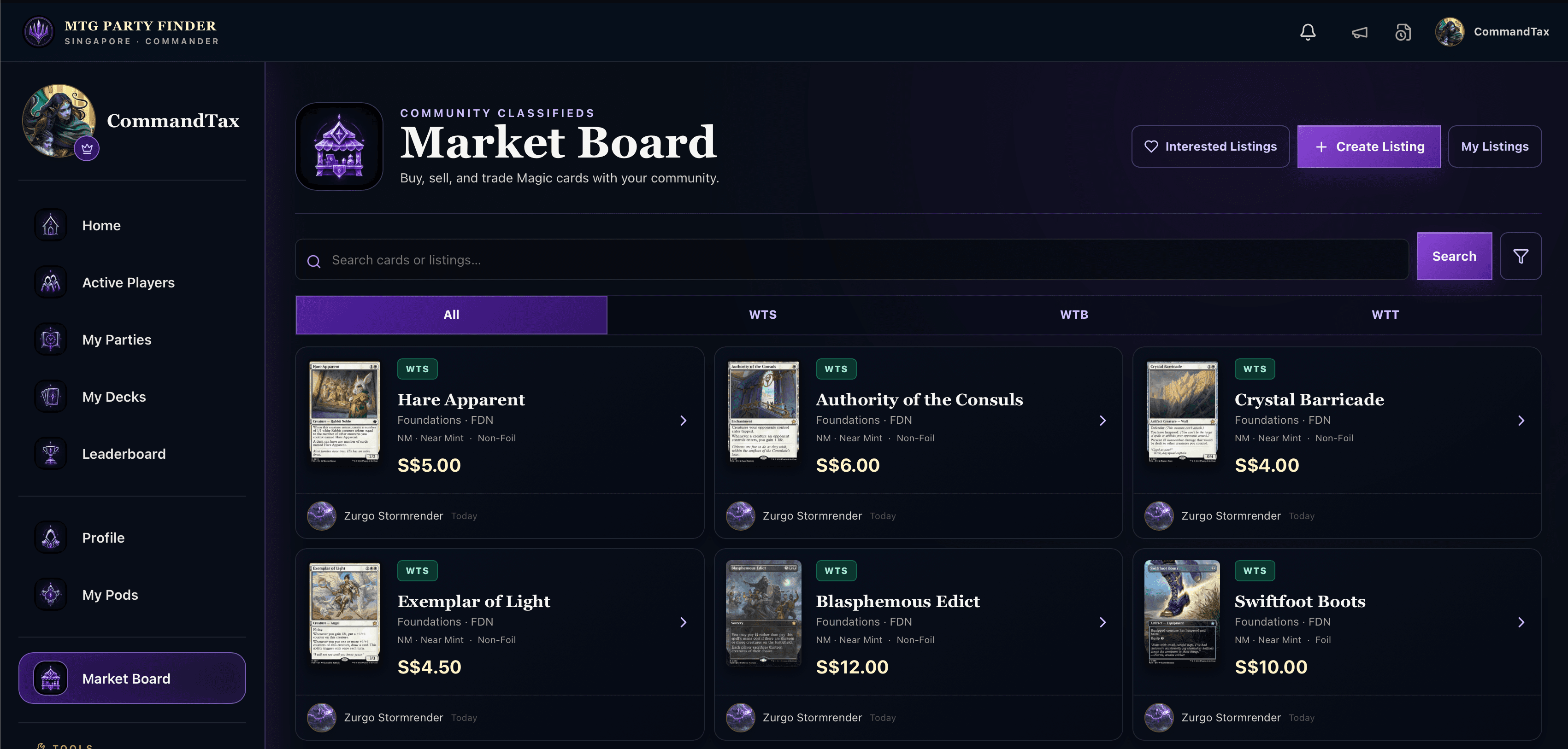
Browse community listings to buy, sell, or trade Magic cards, then search and filter by the kind of deal you want to make.
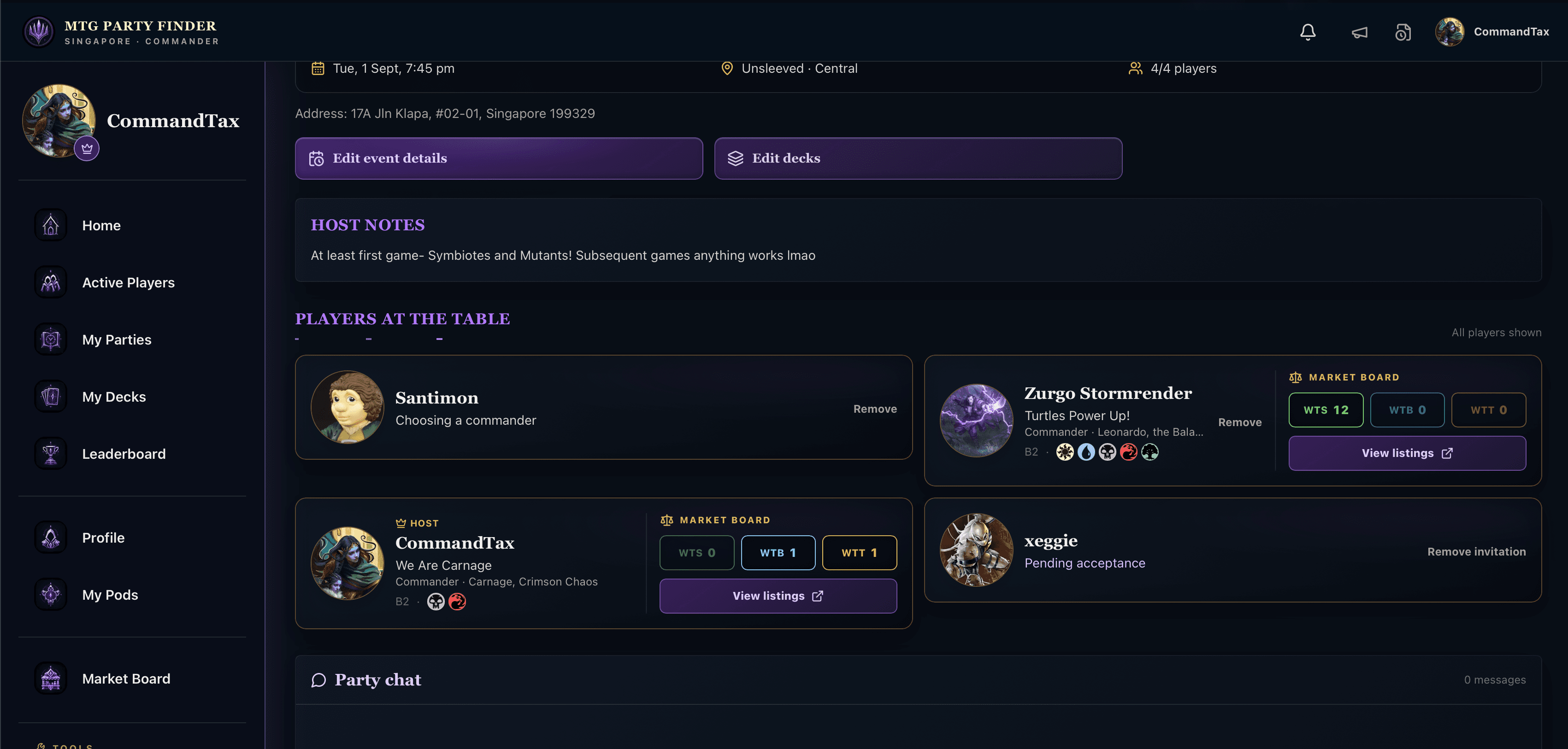
When you join a Party, you can see what the other players are trading from their binders. Open their listings and chat about a deal before anyone makes the trip down for the game.
Find cards listed for sale, purchase, or trade by local players.
See each Party member’s available listings before game night.
Know which cards and traders will be waiting at your next table.
Discuss interest and agree on the details before heading down.
See it in action
No spreadsheets. No endless group chats. Just your local Commander scene in one place.
Find a seat
Scan upcoming parties, compare brackets, check the venue, and see exactly who is at the table. Open seats make joining a game one clear decision.
Explore the app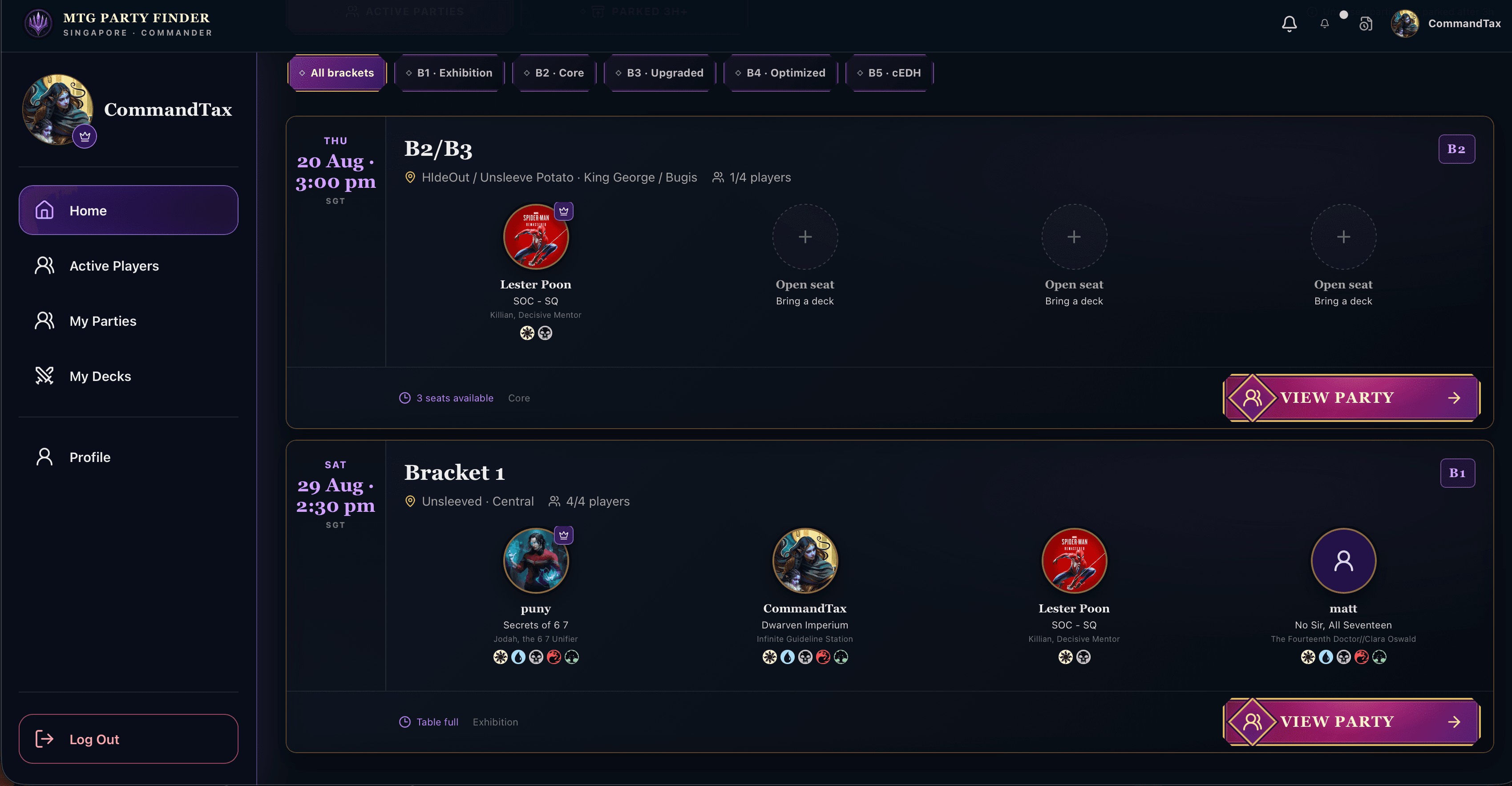

Bring the right deck
Keep your Commander decks organized with their colors, bracket, record, and history. When the table changes, you always have the right deck ready.
Explore the app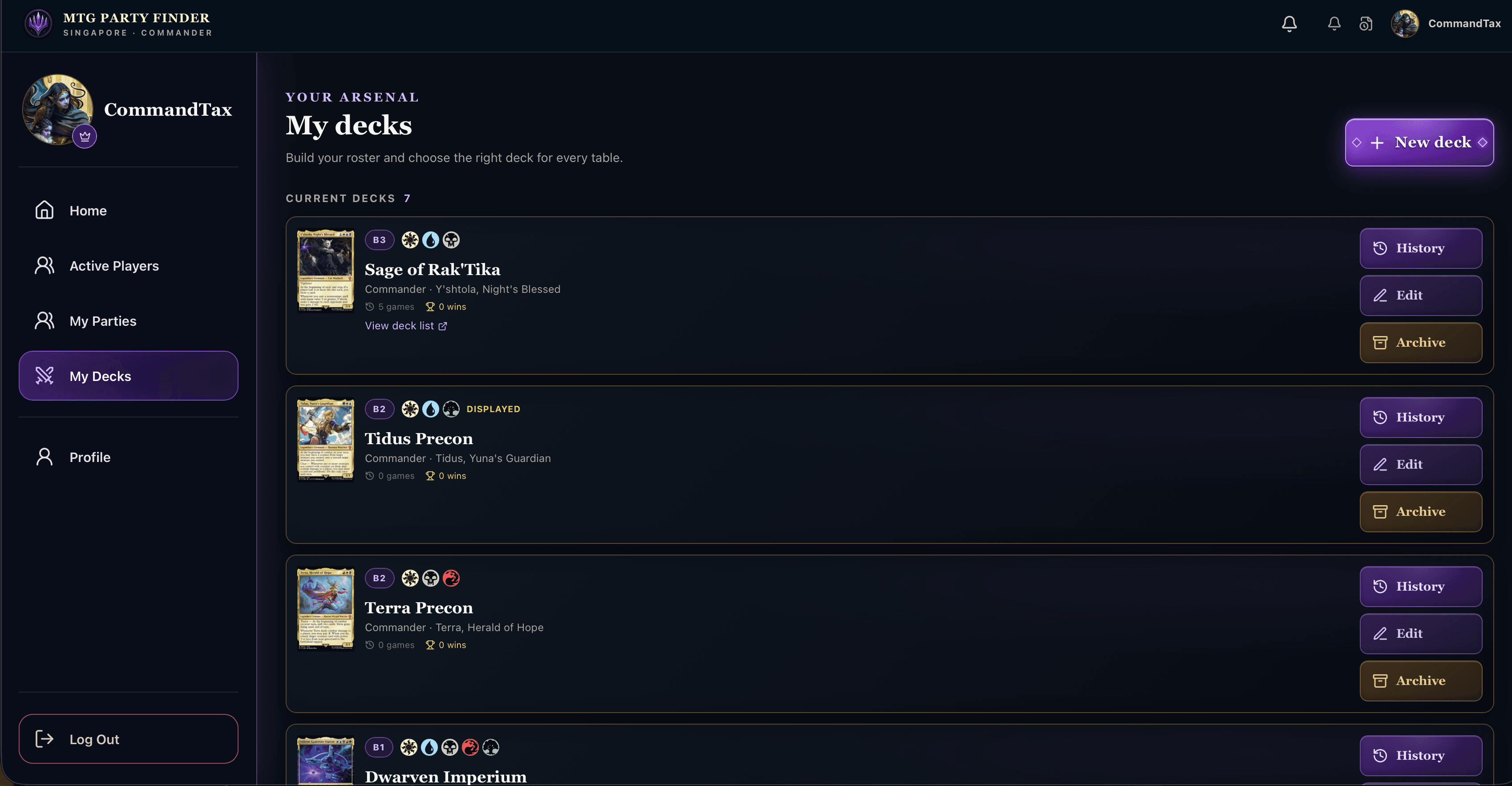
Meet the community
Discover active players and the commanders they love. Your local scene feels smaller, friendlier, and much easier to join.
Explore the app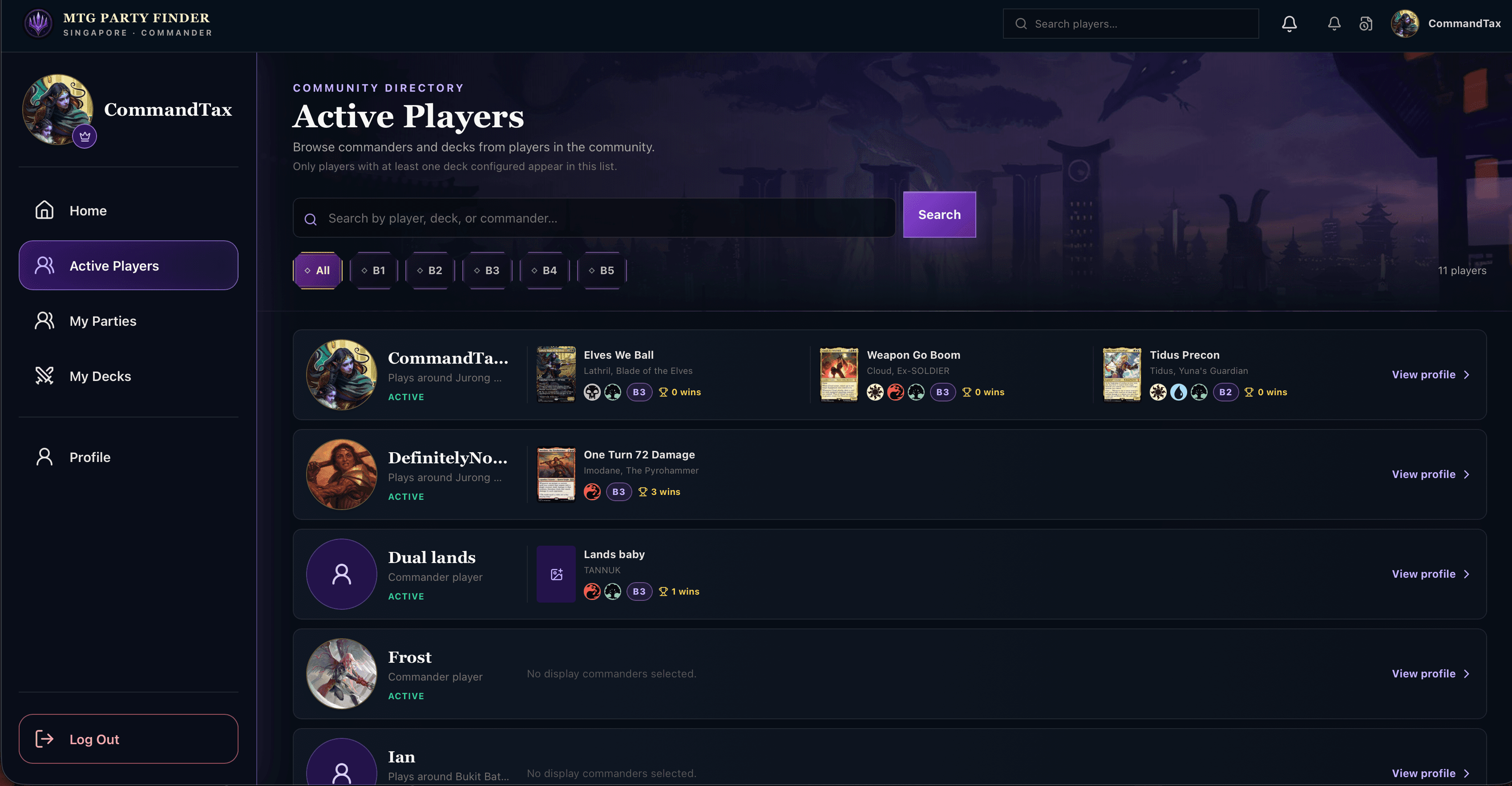
Plan together
Party chat keeps the table in sync on time, place, deck choices, and expectations—so game night starts with shuffling, not scheduling.
Explore the app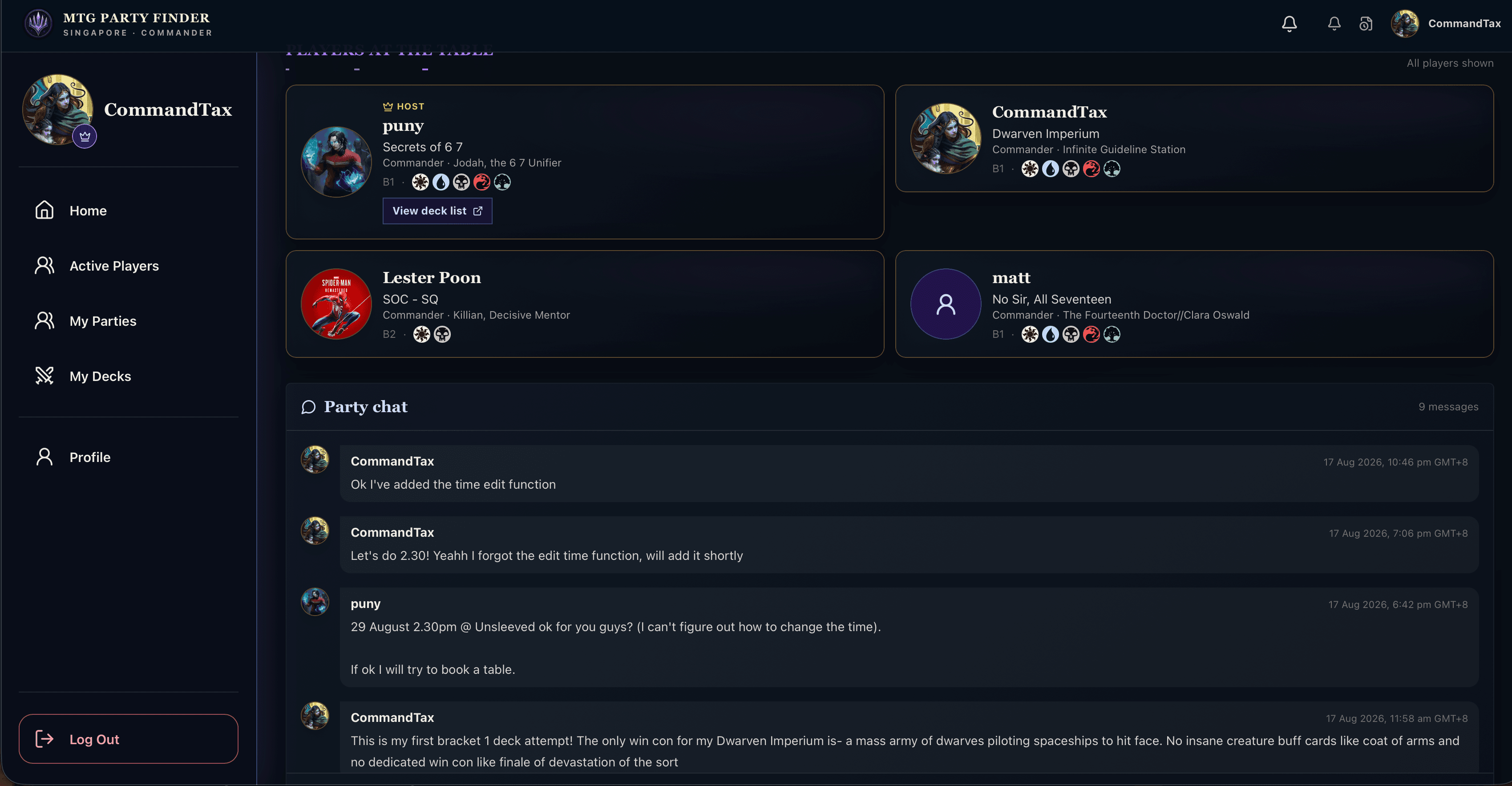
Review your decks
See a Commander deck’s games, wins, and past pods in one place. Players can leave constructive reviews and commentary, helping friends understand how a deck plays beyond its bracket.
Explore the app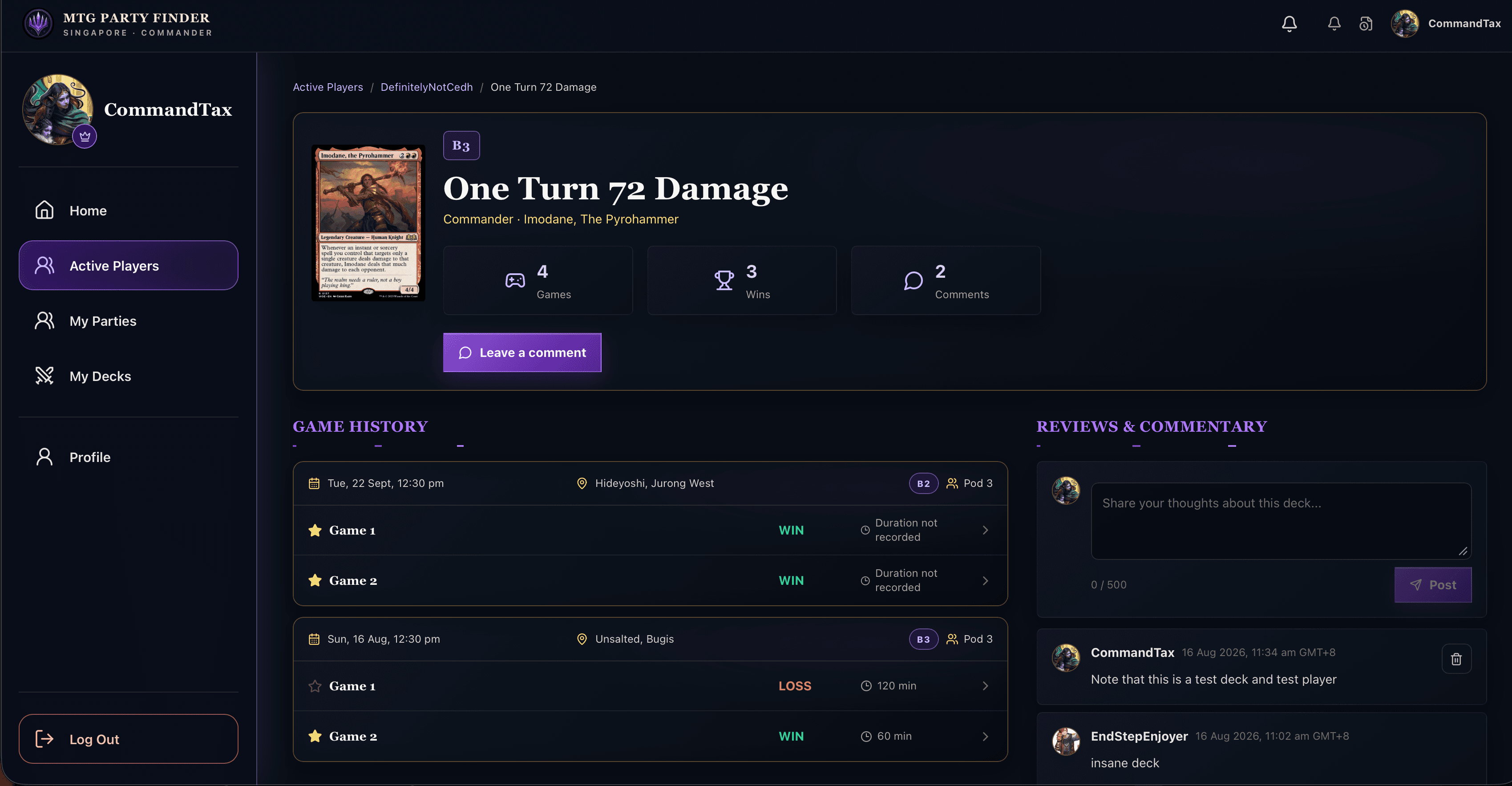
After the final turn
The after-action report lets the pod record decks, winners, game duration, and useful notes. A clear checklist helps hosts capture the result accurately, including games with guest players.
Explore the app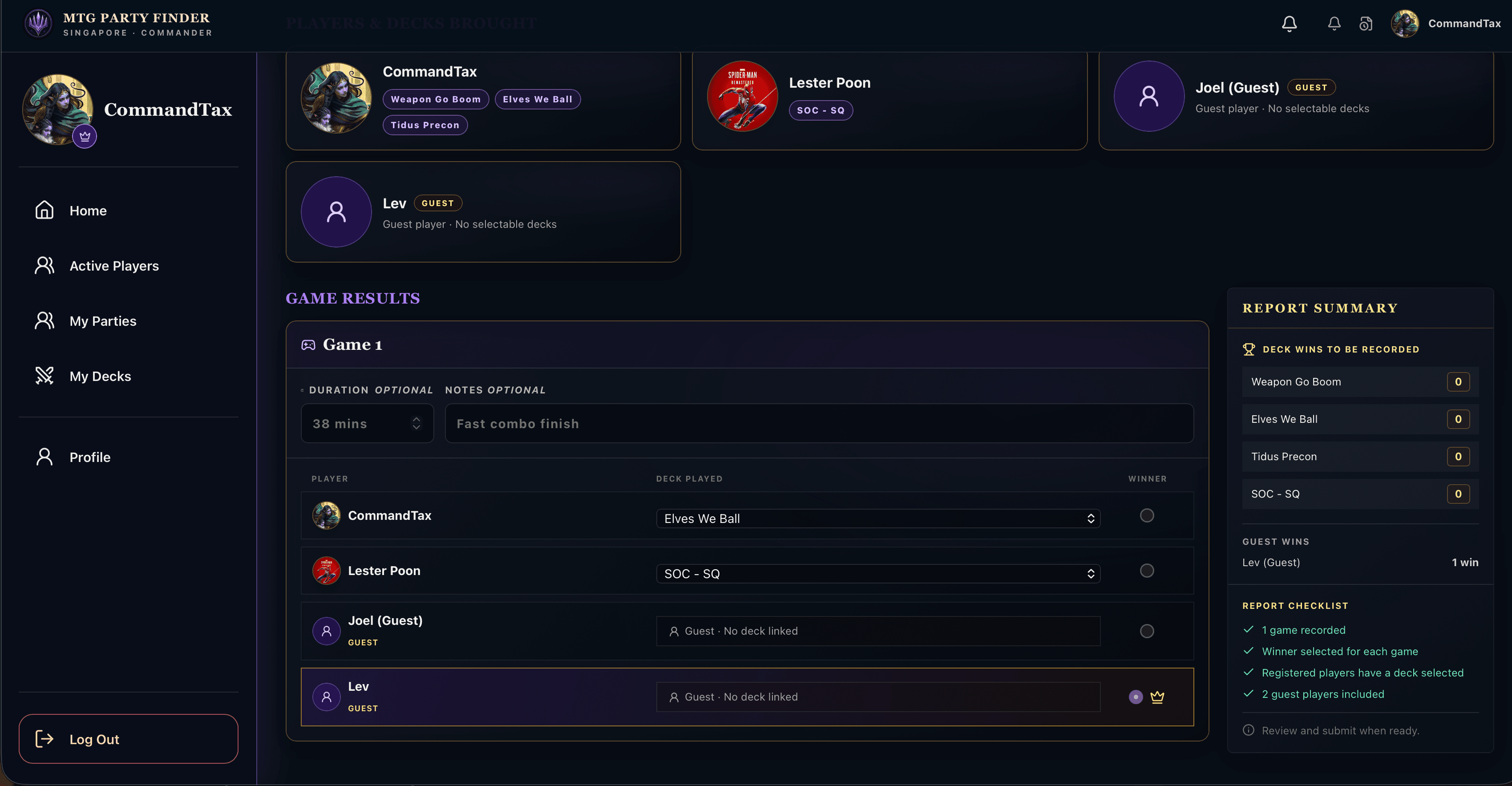
Your local legend begins here
One good game can become a recurring pod, a new friendship, or the start of your reputation at tables across the city.
FAQ
The essentials for finding your first game with MTG Party Finder.
MTG Party Finder is a community party-finder built to help Commander players discover nearby games, join pods, and connect before game night.
No. MTG Party Finder is free for players to use.
No. You can create a useful deck profile without uploading every card. Add as much detail as helps other players understand your deck.
Yes. Bring multiple deck profiles so you can choose a good match for the table when you join a party.
Commander brackets are a shared way to describe a deck's intended experience and power level. Parties can set an expected bracket to help everyone arrive on the same page.
Yes. Hosts can account for guest players who are attending even if they do not have their own MTG Party Finder account.
After a Commander game, the host can record the decks played, winner, duration and notes. Guest players can be included even when they do not have selectable decks.
Yes. A deck page brings its game record and history together, and community members can leave constructive comments about how the deck played.